Coupon codes
A coupon code is a short string a member enters in the Web app or mobile app. Entering it fires the Enters a coupon code trigger on a Smart Campaign Rule, which then does something — typically Tag member (for staff-discount subgroups) or Add credits (for gift cards). The Coupon codes management surface generates the codes themselves and decides their parameters: how many codes exist and how long each one is. The Rule that reacts to entry is configured separately under Smart Campaigns.
Screenshots on this page show one merchant's setup (Spanish labels). Your Hub displays the labels and content you configure for your own program.
Two patterns cover most uses: tagging subgroups (e.g. "all employees of Company X get 20 % off") and gift cards (e.g. "100 € of credit, sold as a physical or digital gift"). The mechanics are the same on both sides — entry fires a Rule — but the management story and the awarding action differ. This page covers both, plus the unique-vs-generic decision that runs across both.
How a coupon code works end to end
Three moving parts:
- The codes themselves, generated and managed under Marketing → Coupon codes. You decide how many codes exist, their length, how many redemptions each code allows.
- The Rule that reacts to entry, configured under Smart Campaigns with the Enters a coupon code trigger and a condition like Coupon code is one of [your-code]. Without this Rule the code does nothing — it's just a string.
- The member-side entry surface in the Web app or mobile app where the member types the code (the "Código de activación" / "Activation code" page). When the member submits, the platform resolves the code to its configuration, fires the trigger, and runs whatever Rule(s) match.
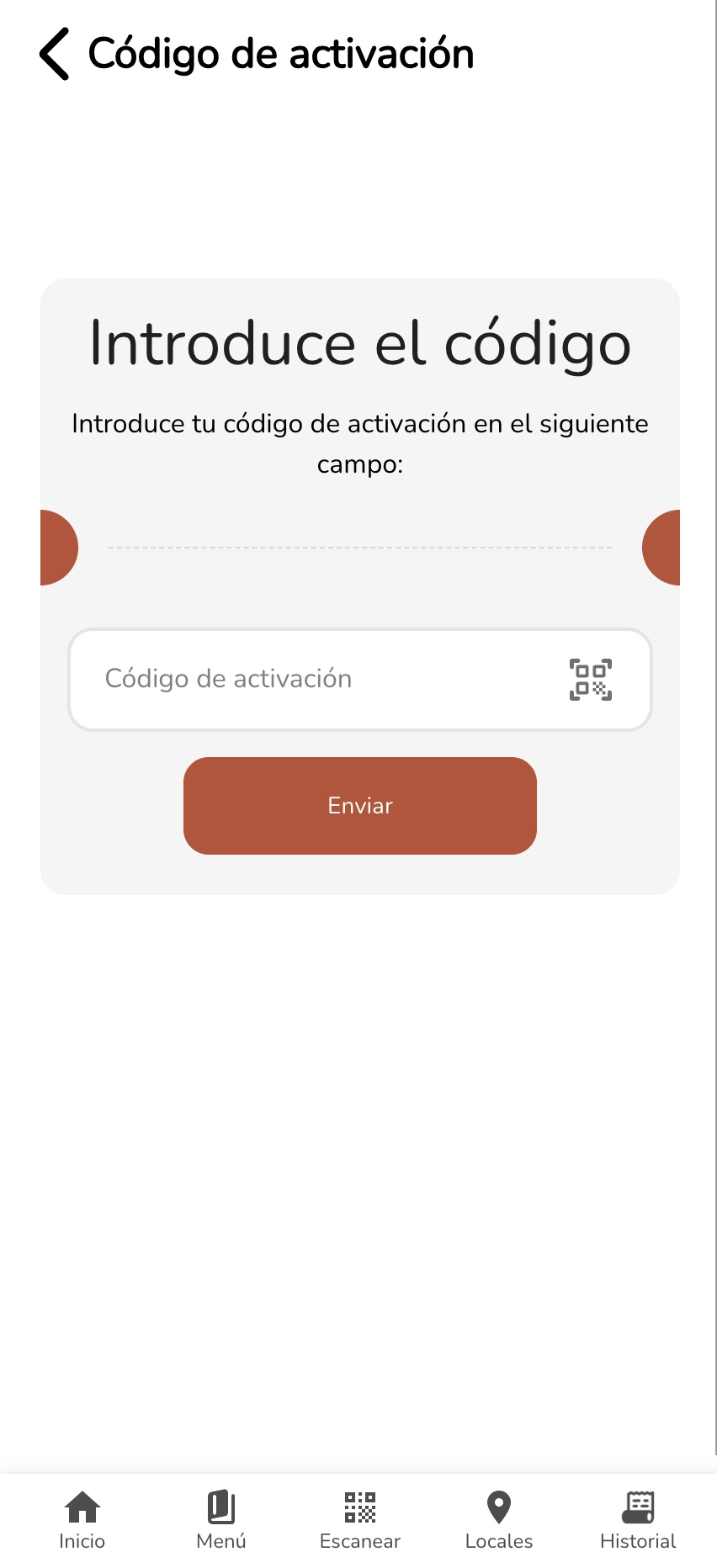
The member-side page renders in the brand's colours and language. Members who hit the QR-scan icon to the right of the input can scan a code instead of typing — useful for printed cards or in-store signage that carries a QR-encoded code.
The two patterns
Pattern 1 — Subgroup tagging (e.g. Company X employee discount)
The pattern: the business wants a specific group of people (employees of Company X, members of a partner association, attendees of an event) to get a special offer at the till. You can't ask every cashier to memorise who works for which company, so the loyalty system has to know. Coupon codes are how you let the right people self-identify.
End-to-end flow:
- Generate the codes under Marketing → Coupon codes. Either N unique codes (one per employee) or one shared code imported N times — see the unique-vs-generic decision below.
- Distribute the codes to the subgroup (HR sends a mail-merge, the partner shares internally, the event organiser puts a code on the badges, etc. — see distribution notes below).
- Build a Smart Campaign Rule with trigger Enters a coupon code, condition Coupon code is one of [your-code], action Tag member with a tag like
CompanyX_Employee. - Build a separate Deal (a Smart Campaign Deal, not a Rule) scoped to members tagged
CompanyX_Employee. This is the actual discount — once a member has the tag, the Deal applies automatically at every check-close as long as the cashier identifies them. The member never has to mention the code again.
The split — Rule writes the tag, Deal reads it — is what makes this clean. New benefits for the same subgroup come as new Deals targeting the same tag; the coupon-code distribution doesn't need to change.
Distribution notes:
For unique codes, distribution requires pairing each code with a person. The two paths in practice:
- Manual — for small companies (a handful of employees), HR or the business owner emails each person their code one at a time.
- Automated mail-merge — for larger lists, HR pulls the codes into a spreadsheet alongside employee email addresses and uses a mail-merge tool to send each person their unique code automatically.
For generic codes, distribution is just sharing the code internally — pin it in the company chat, write it on the office whiteboard, however the company normally communicates. The risk is that employees forward it to friends and family; the bound on that risk is how many copies of the code you imported.
Pattern 2 — Gift cards
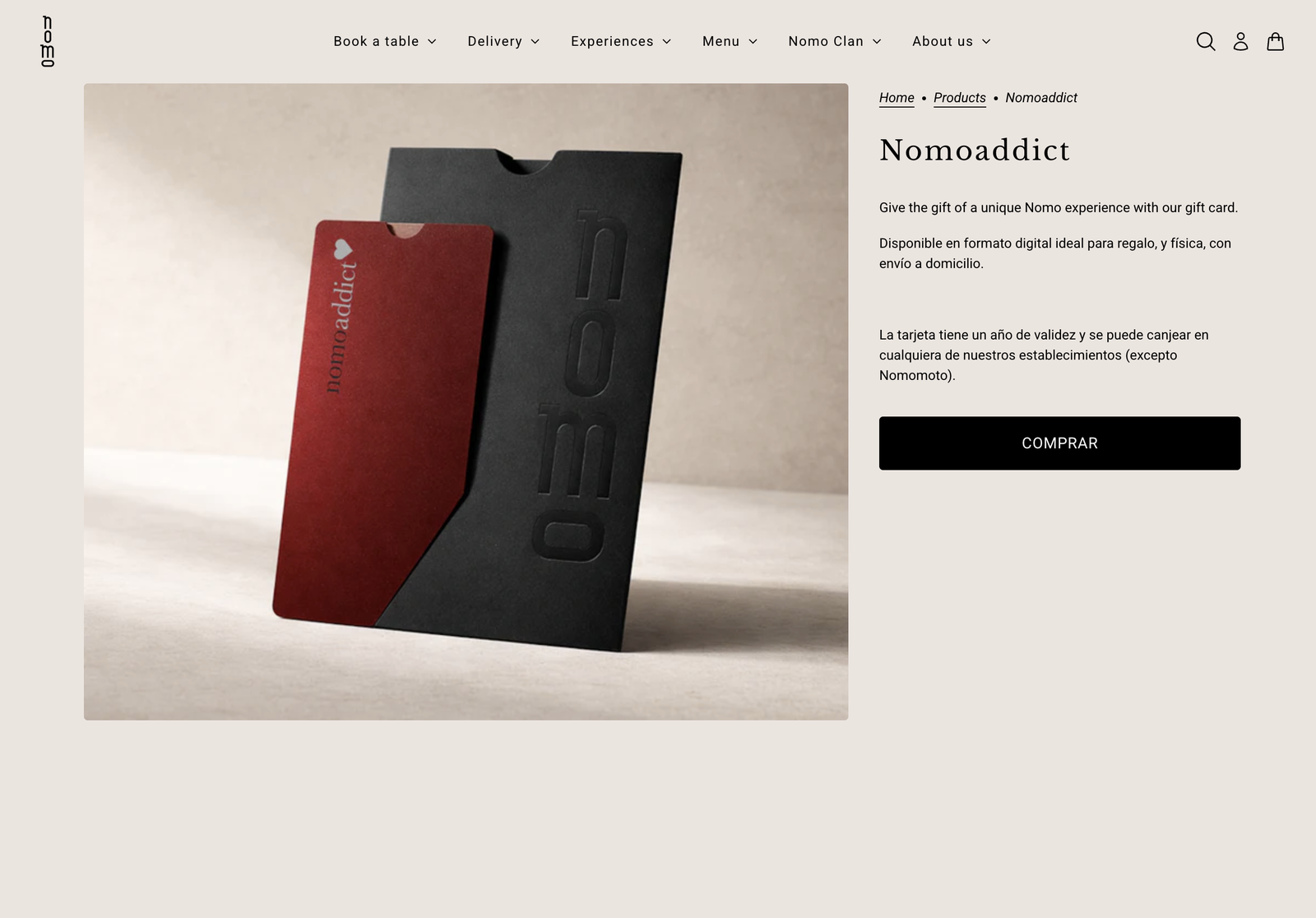
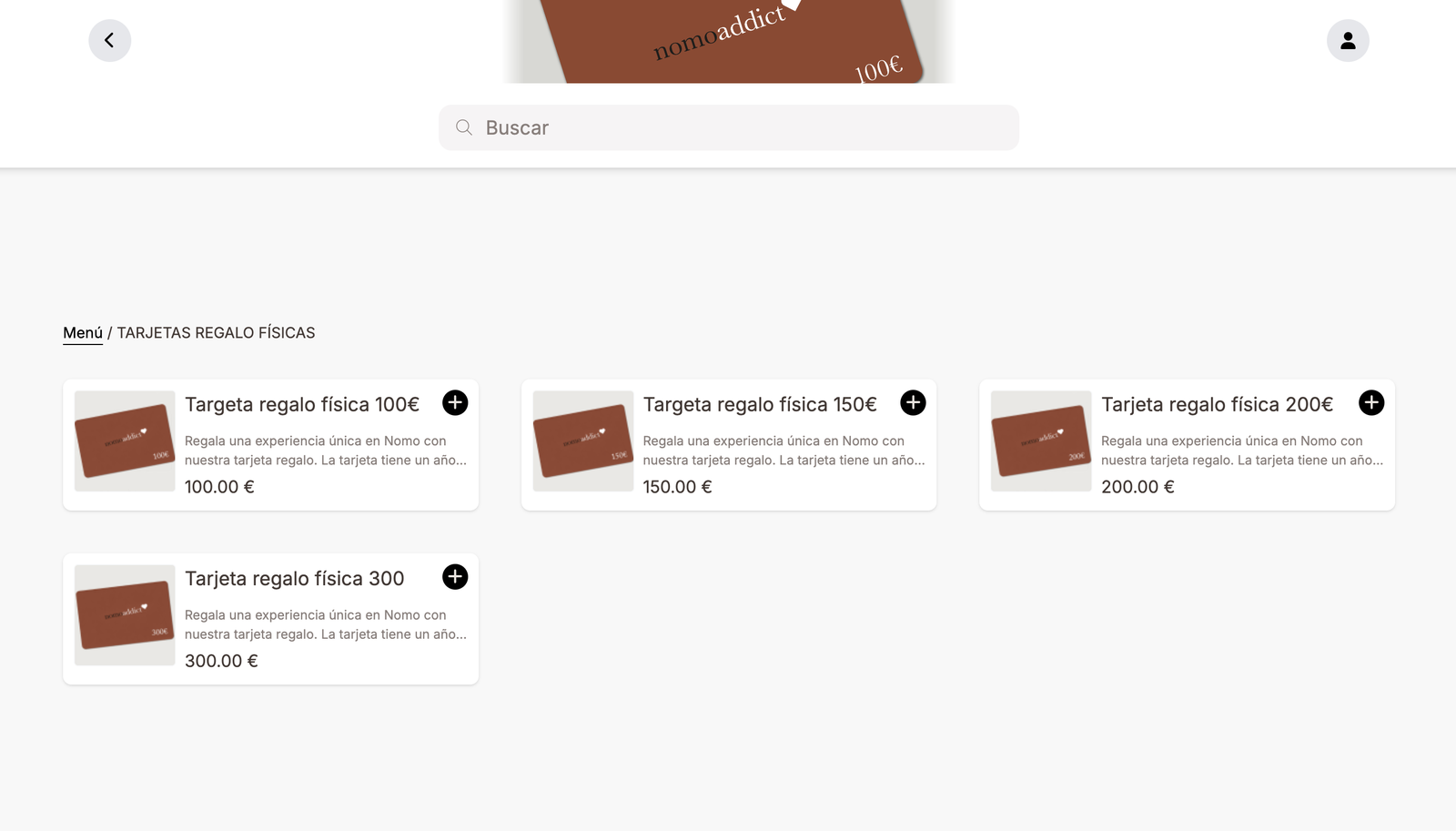
The pattern: the business sells prepaid credit as a gift product. The buyer purchases a card; the card carries a code; the recipient enters the code in their loyalty wallet to load the credit. A typical implementation sells gift cards in physical and digital variants and in several denominations (100 €, 150 €, 200 €, 300 €).
End-to-end flow:
- Generate the codes — typically unique codes (each gift card has its own code that gets used once). One coupon-code record per denomination (100 €, 200 €, etc.) with as many unique codes as you want to sell.
- Sell the cards through the online ordering surface your merchant uses. Each sale draws one code from the pool and pairs it with the buyer's order:
- Physical card — the code is printed on a card and sent by postal mail to the recipient.
- Digital card — the code is emailed to the recipient. The email is sent by the platform via the External event submitted trigger — the ordering system posts an event with the recipient's email + personalized text, and a Smart Campaign Rule on that trigger sends the email through a Comm. Template.
- Build a Smart Campaign Rule per denomination with trigger Enters a coupon code, condition Coupon code is the matching code-record, action Add credits with the corresponding amount. Each denomination is one Rule — the 100 € card has its own Rule that adds 100 €; the 200 € card has its own.
- Recipient enters the code in the loyalty Web app's "Código de activación" page; the credit lands in their balance.
For the digital path, you'll typically have two Rules per denomination — one on Enters a coupon code (the redeemed-side: add credits) and one on External event submitted (the sold-side: send the email with the code). The screenshot below shows what a real implementation's Smart Campaign list looks like — many parallel Rules, one per denomination × delivery method:
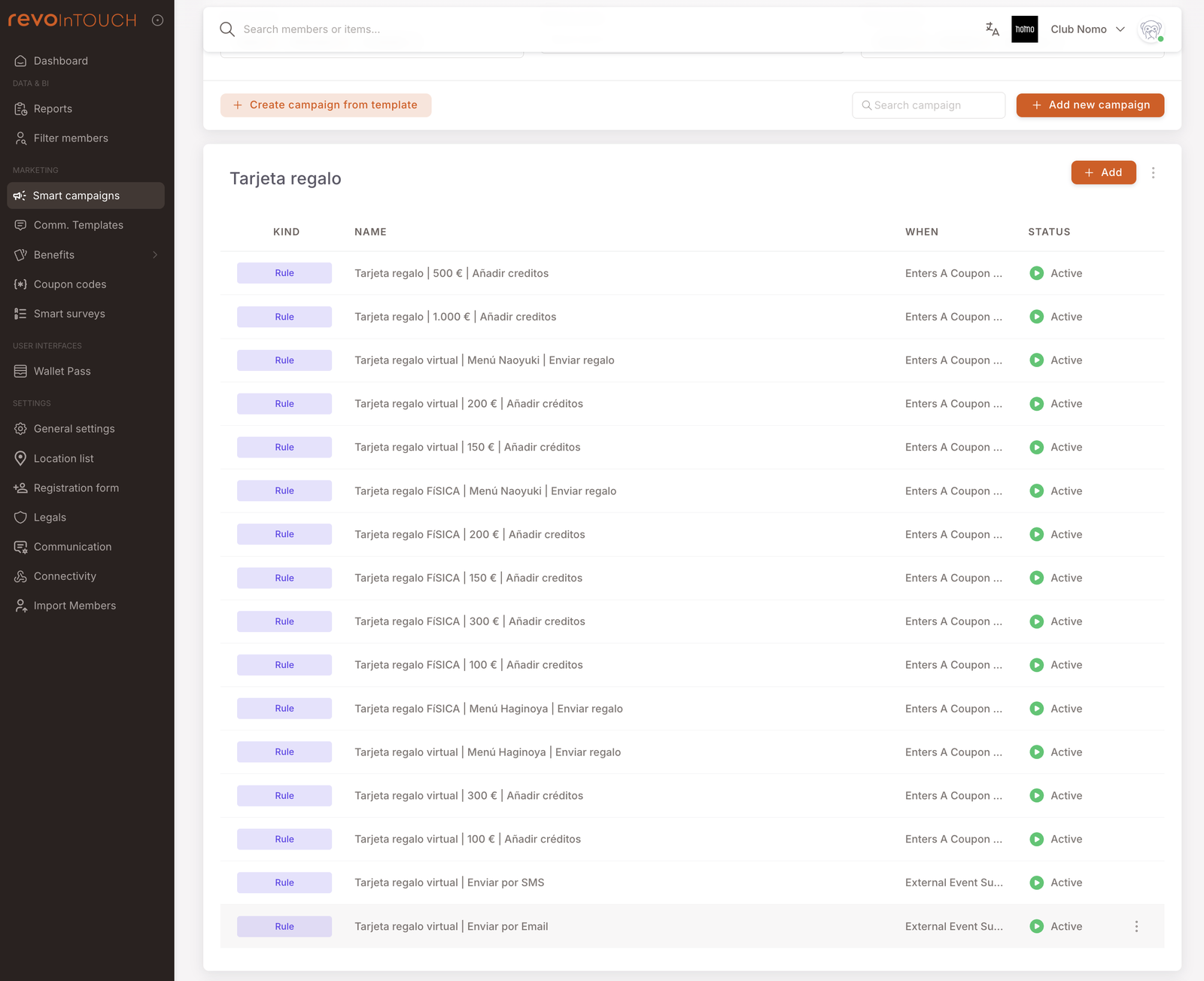
The naming convention in the screenshot — Tarjeta regalo | denomination | action — is a good template if you're building this from scratch. Keeps the list scannable as it grows.
Unique vs generic codes
Every code row is redeemable exactly once, so the decision you make when generating a coupon code is how many rows to create and whether they carry different strings or the same one. The two extremes:
- Many unique codes, 1 use each — generate, say, 1,000 codes of length 10, each redeemable once. Distribute one per recipient. Safer (a leaked code costs you exactly one redemption); harder (you need a way to deliver one code per person).
- One generic code, N uses — everyone uses the same string, and it can be redeemed N times in total. Easier to share; riskier (anyone can pass it on, and the bound is just the redemption count — not "only the people you intended"). Build this by importing the same code N times.
Hybrids exist (10 codes × 100 uses each, for example) but most clubs land at one of the two extremes.
One code, many uses: import the same code N times
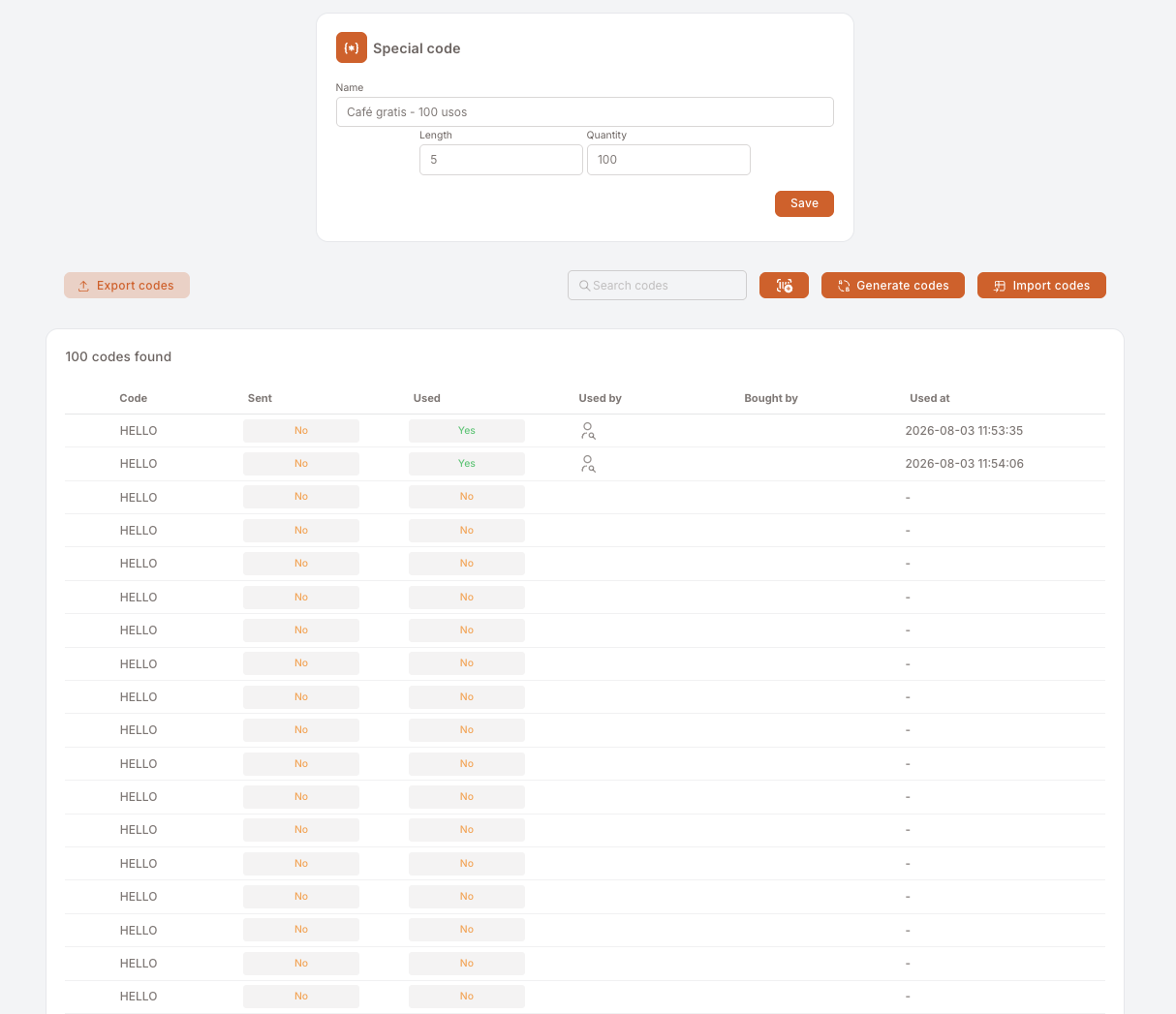
Want one shareable string that works, say, 100 times? Every code row is single-use, so create the record with Quantity = the number of uses you want, then import a CSV containing that same code repeated once per line. You end up with 100 rows that all read HELLO, each one good for a single redemption. To the member it behaves as one code with 100 uses; to you it's 100 separately tracked redemptions.
Steps
- Make the CSV. One column, no header, the code repeated once per use. 100 uses = 100 lines, all identical. Any spreadsheet tool exports this in seconds (type the code, drag it down, save as CSV).
- Create the code record under Marketing → Coupon codes and fill the Special code form:
- Name — describe the promo and the trick, so the next person understands the record at a glance, e.g.
Café gratis - 100 usos. - Length — the character count of your code (
HELLO= 5). - Quantity — how many uses you want (100).
- Name — describe the promo and the trick, so the next person understands the record at a glance, e.g.
- Save, then click Import codes and upload the CSV.
- Build the Rule with the Enters a coupon code trigger and the condition scoped to this record, exactly as with any other coupon code. Without it the code does nothing.
The result — 100 identical codes in one record, two of them already redeemed by different members at different times:
Why one row per use
- Every redemption gets its own row, so Used by and Used at tell you who redeemed and when, one line per person.
- The remaining balance is readable at a glance: unused rows are the uses you have left.
- Topping up is just another import of the same code — no editing of the record's parameters.
The trade-off: the member-facing behaviour is identical, but Quantity now means "uses", not "distinct codes". Say so in the record's name so nobody misreads the list view.
When to pick which
- Small group, trusted channel — unique codes are over-engineered. Generic with a low redemption cap (50, 100) is fine.
- Larger group, mixed trust — unique codes via mail-merge. The per-recipient delivery is the cost; the per-leak bound is the benefit.
- Anything sold for money (gift cards) — always unique. Each card carries a value tied to a sale, and value-bearing codes that can be redeemed multiple times are a refund hazard.
Where to manage them
Marketing → Coupon codes in the left nav opens the list of code records — each row is one campaign's worth of codes (e.g. "Tarjeta regalo digital | 100 €" with 3,000 codes of length 10):
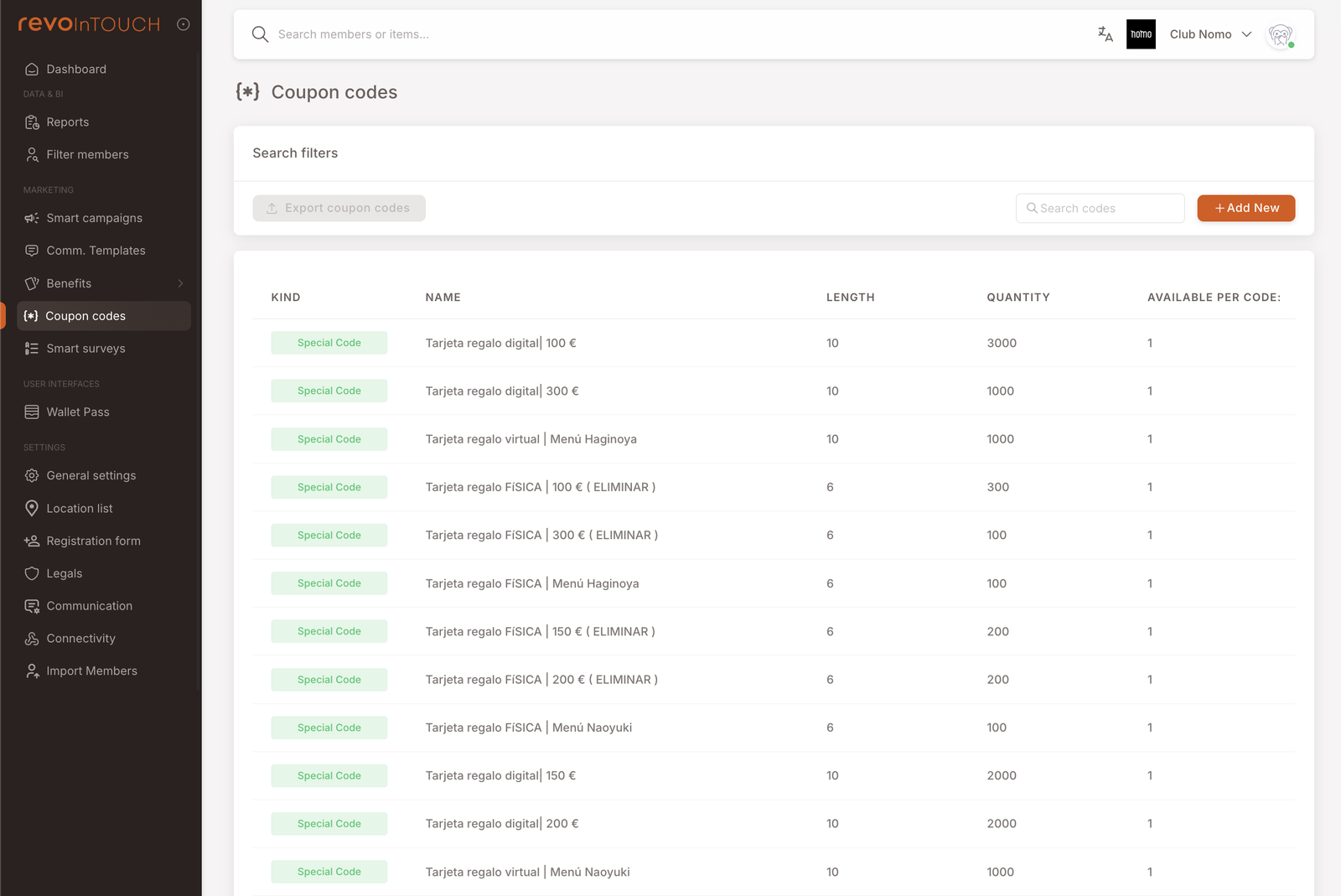
The columns capture the unique-vs-generic decision at a glance:
- Length — how many characters each code has.
- Quantity — how many code rows exist in this record. Each row is redeemable once, so Quantity is also the total number of possible redemptions.
A Quantity 3000 record with 3,000 different strings is unique mode. A Quantity 100 record where all 100 rows carry the same string is generic mode — see One code, many uses.
Click into a row to see the codes themselves and to generate / import / export them:
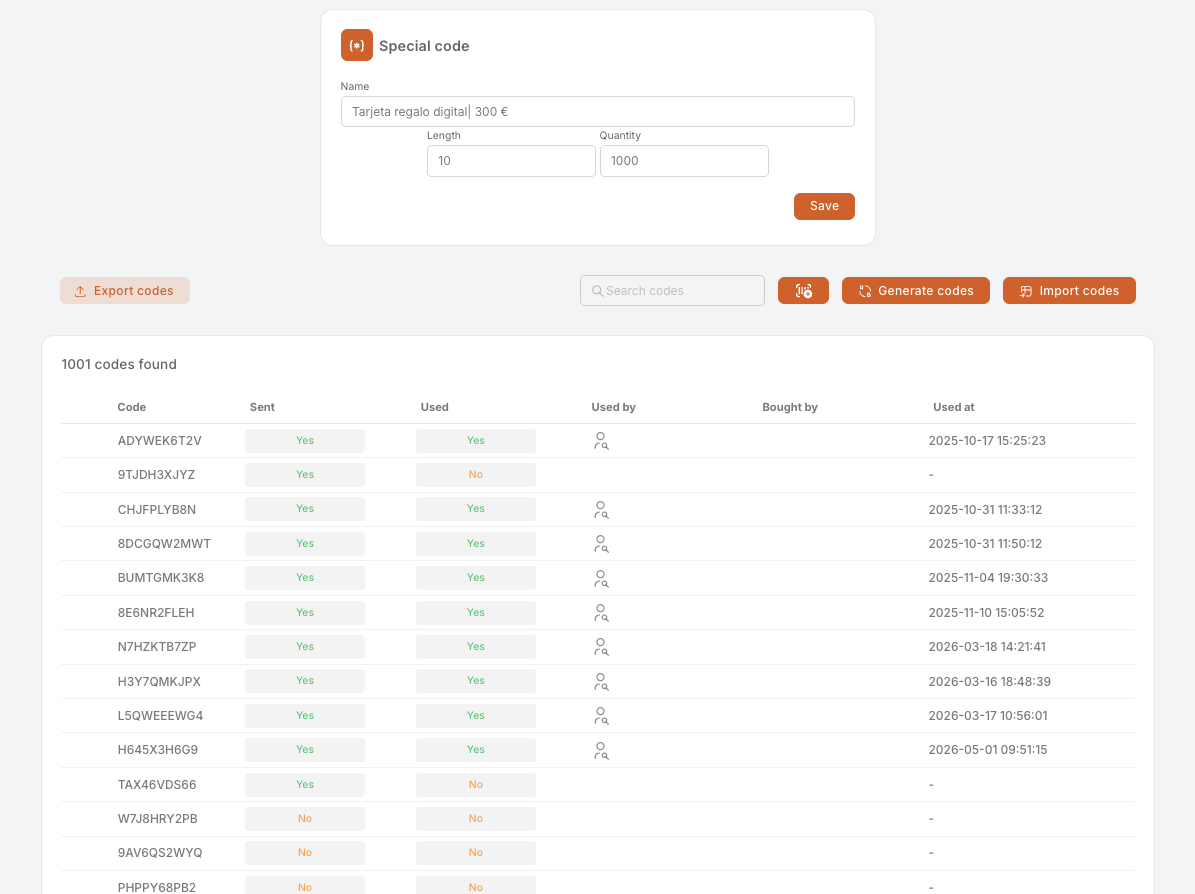
Three operations on the detail screen:
- Generate codes — produces a new batch of random codes within the record's parameters (length, quantity). Use this when first setting up the record, or when topping up an existing record for a new distribution.
- Import codes — upload a CSV of codes you choose yourself. Two uses: migrating from a previous loyalty system (cards already printed with specific codes that must keep working), and making one code redeemable many times by repeating it once per line.
- Export codes — download the codes as a CSV for offline distribution (mail-merge, partner handoff). The export includes the redemption status — used / not used, who used it, when.
The Used / Used At / Used By columns make it easy to audit which codes have been redeemed and by whom — particularly useful for staff-discount programs where you want to spot leaked codes (e.g. one code redeemed twenty times in one week from non-employee members).
Gotchas
5 things to watch for when running coupon-code campaigns
- A code with no Rule does nothing. The Coupon codes management surface generates the string and tracks redemptions; the Rule with Enters a coupon code trigger is what actually rewards the member. Build the Rule before you distribute the code, or members will enter codes and see no effect.
- One row, one redemption. There is no multi-use setting on a code row — the Available per code field that used to sit on the form has been removed. Multi-use behaviour comes from importing the same code once per use.
- Generic codes can run out mid-distribution. If you imported 100 copies and the code is redeemed 100 times before the last person has used it, late entries error. Pad the count, or import more copies into the same record; switch to unique codes if the audience is bigger than the count allows for.
- Once shared, generic codes leak. Bound the risk with the number of copies you import, but assume any generic code reaches an audience beyond your target. The Used By column on the code detail is your audit surface — spot check it for non-members or off-segment redemptions.
- The Rule's Coupon code is X condition is what scopes the action. A Rule with the trigger but no condition fires on every coupon entry tenant-wide — the wrong action runs for the wrong members. Always set the condition to the specific code(s) the Rule should react to.
- Codes don't expire on their own. Unless you build expiry into the Rule (e.g. via a timing condition or by setting the Rule to Paused after a date), old codes can still be redeemed years later. For seasonal campaigns, plan the wind-down.